When a customer submits a part to your manufacturing platform, associate its viewer URL with the quote request or order record. Give customers and your team a visual reference alongside the information needed to progress the job.
When your engineering software imports or generates a supported model file, associate the viewer with the relevant component or project. Let users inspect the geometry while keeping its surrounding information in your application.
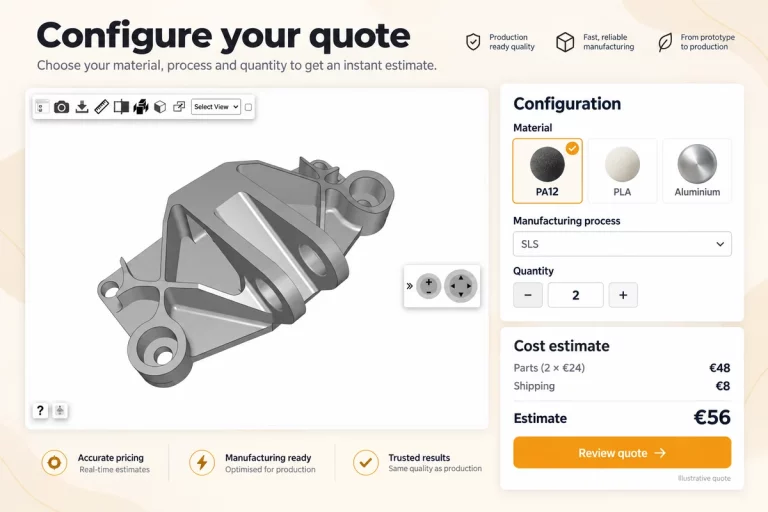
Display the submitted model beside the customer’s requested material, quantity and process. Give users a way to inspect the part while reviewing the information attached to the enquiry.
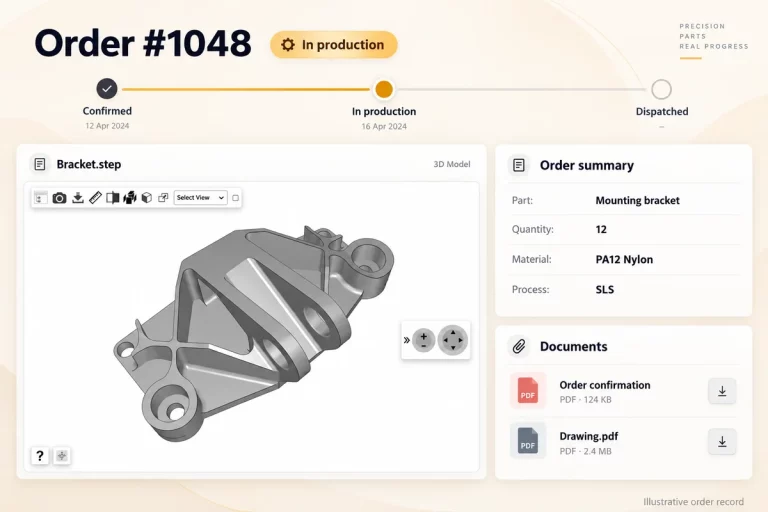
Keep an interactive view of the associated part alongside the order details. Help users identify the component and understand which model the record refers to.
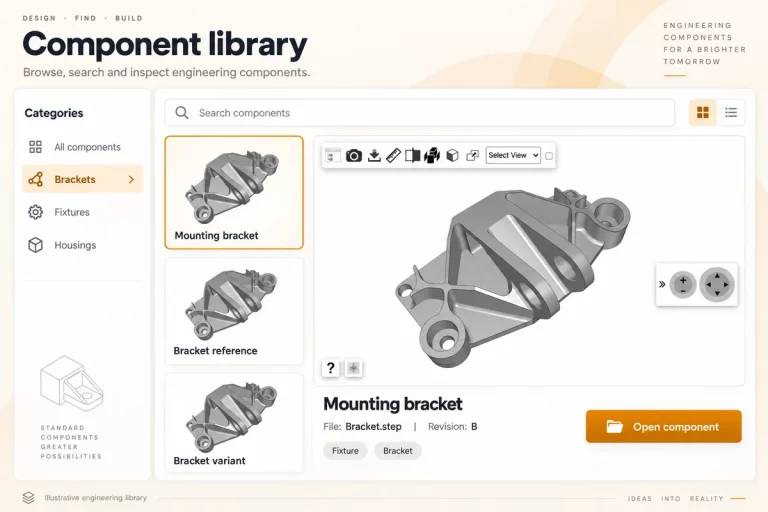
Add a visual reference to each component entry. Let users inspect its form before continuing with the engineering workflow.
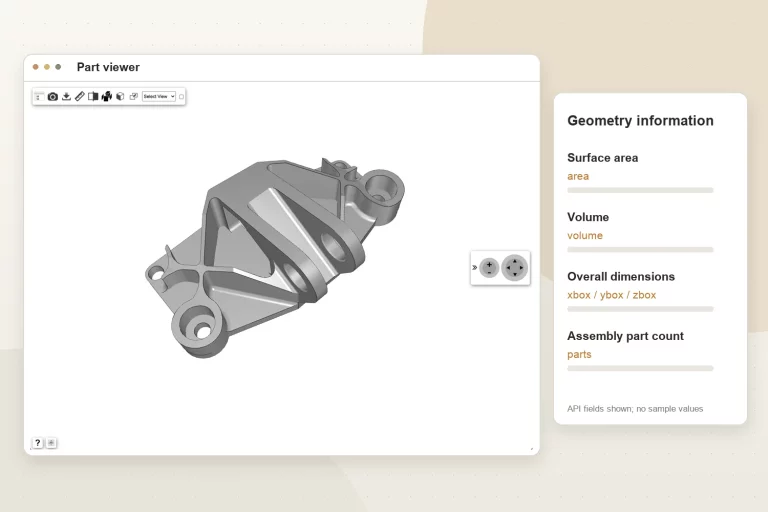
Use the Geometry Information API to retrieve model measurements associated with a specific model ID. Your application can bring these values into a part record alongside the interactive viewer.
This gives your platform a source of geometry information to use within its own calculations, review steps and component records.
Bring surface area, volume and overall dimensions into your quotation workflow. Combine relevant values with your own process assumptions, material information and pricing rules.
Use the X, Y and Z dimensions as inputs to checks against size limits defined in your application. Treat overall dimensions as one part of the evaluation, alongside orientation and process-specific requirements.
Populate component records with geometry values and assembly part counts. Keep these details available alongside the model for review and downstream use.
Geometry values describe the model. Manufacturing suitability and quotation results depend on the rules, assumptions and validation implemented in your platform.
Use the model ID associated with your uploaded file to request its geometry information.
curl \

  "https://www.3dvieweronline.com/api/v1/geometry/?token={your-api-token}&modelID={model-ID}"
Send the request from your backend using your API token and the relevant model ID.
{
  "success": true,
  "message": "Message",
  "results": {
    "area": "170.8222",
    "volume": "6.5315",
    "xbox": "8.3321",
    "ybox": "10.1477",
    "zbox": "8.3321",
    "parts": "10"
  }
}
Illustrative response from the API documentation. Values are not measurements of the model shown on this page.
Start with representative models from your workflow and confirm how viewing and geometry information should behave in your application.
Your application can submit supported model files through the API and associate the returned viewer URLs with its part, quotation or order records.
If your software produces a supported model file, it can submit that file through the API and associate the viewer with the relevant component or project.
The geometry endpoint returns surface area, volume, overall dimensions along the X, Y and Z axes, and the number of parts for a 3D assembly.
Yes. Your application can use the returned values as inputs to its own quotation logic, alongside material information, process assumptions and pricing rules.
No. The Geometry Information API returns model geometry values, including surface area, volume and overall dimensions. Your application can use these values alongside its own material costs, process assumptions and pricing rules to calculate a quotation.
Send the geometry request using the model ID associated with the uploaded file. Keep that identifier linked to the corresponding part, quote, order or component record in your application.
Explore the 3D Viewer API page for the upload-to-viewer workflow, then use the documentation for request parameters and response examples.
Tell us about your platform and where 3D viewing could support your workflow. We can discuss model uploads, viewer integration and geometry information for your quoting portal or engineering software.