You can perform many actions with your glTF file, like rotating, zooming, measuring, and more. You can also take high resolution screenshots, add annotations and comments, and embed your 3D model in other websites and apps.
Content
1. What is a glTF file?
2. How to use the glTF viewer
3. Where to find free glTF files?
glTF, short for GL Transmission Format, is an open standard developed by the Khronos Group to enable efficient transmission and rendering of 3D assets. It is often described as the “JPEG of 3D”.
A glTF file stores:
Because of its compact structure and GPU-friendly design, glTF is the preferred format for web-based 3D viewers, real-time engines, and e-commerce visualisation.
Typical applications of glTF Files are:
glTF is widely adopted in gaming and real-time rendering engines because it moves 3D assets efficiently from creation tools to runtime environments. As a result, game developers use glTF to transfer characters, environments, and props while preserving materials, textures, and animations. Moreover, its compact structure reduces loading times and improves performance. For this reason, glTF is particularly suitable for real-time applications where responsiveness is critical.
glTF powers a wide range of web-based 3D experiences. In particular, the format targets efficient GPU rendering directly in the browser, therefore enabling interactive 3D content without plugins or additional software. As a consequence, teams use glTF files in online 3D viewers, technical visualisations, educational platforms, and interactive product pages. At the same time, fast loading and cross-device compatibility play a critical role in these use cases.
In e-commerce, brands use glTF to present products in interactive 3D directly on their websites. Physically based rendering materials give products a realistic appearance under different lighting conditions. By allowing customers to rotate, zoom, and inspect products in detail through a glTF viewer, businesses increase engagement, improve conversion rates, and reduce returns caused by unclear or misleading images.
glTF enables high-performance augmented and virtual reality experiences because of its lightweight structure and built-in support for animations and complex scenes. Therefore, teams use glTF for AR product previews, virtual showrooms, training simulations, and immersive learning environments. Meanwhile, its efficiency allows smooth real-time rendering on mobile devices and AR or VR headsets, where performance limits remain strict.
In industrial and engineering workflows, teams use glTF to visualise digital twins of products, machines, and systems. By doing so, they can export and optimise CAD data into glTF to explore complex assemblies, run design reviews, and perform remote inspections using a browser-based glTF viewer. Although glTF does not target manufacturing, it nevertheless excels at visual communication and collaborative review.
Educational institutions and training providers use glTF to create interactive and engaging learning content. As a result, students can explore 3D models directly in a browser, which supports both remote education and self-guided learning. In particular, glTF proves effective for explaining complex mechanical, scientific, or architectural concepts that static images alone struggle to convey.
Marketing teams increasingly rely on glTF to create interactive and visually rich digital content. For example, they use glTF files in landing pages, online presentations, and trade show displays to showcase products and concepts in 3D. Compared to traditional media, glTF-based experiences capture attention more effectively. At the same time, they maintain fast load times and accessibility across devices.
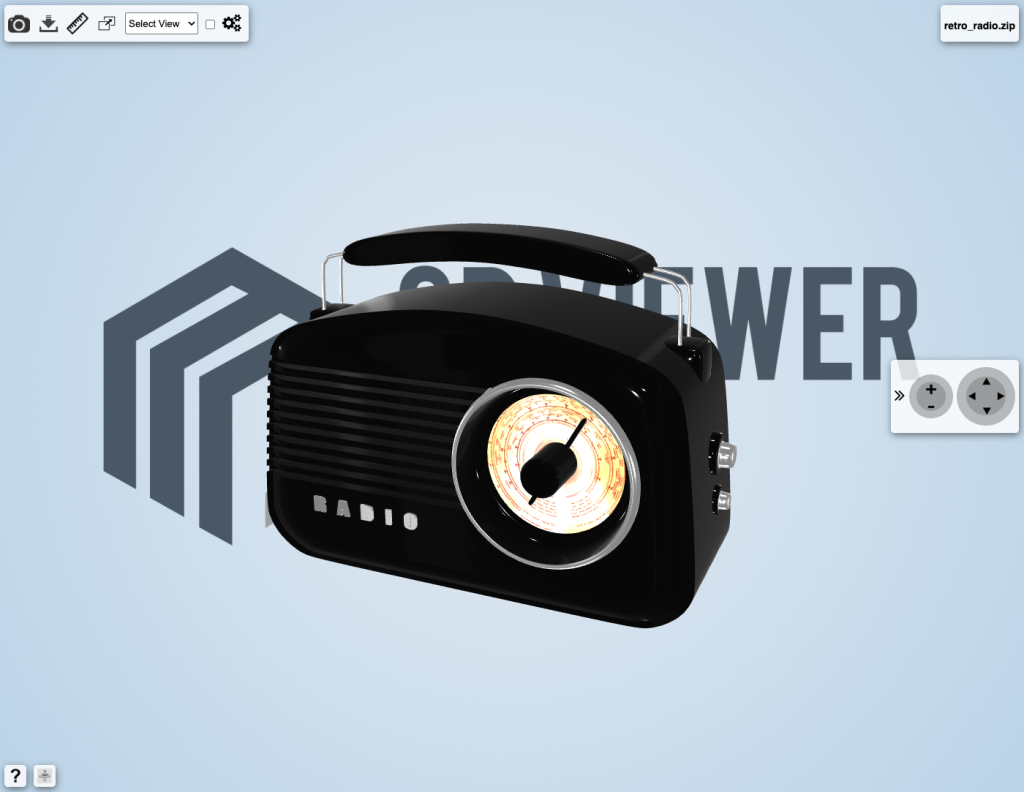
All these functions are available on the glTF viewer toolbar located on the top left part of the screen and do not require any previous knowledge of a 3D software.
Measuring and verifying the thickness of a wall for instance, becomes extremely important when the glTF 3D model has to be 3D printed.The measuring functions of the glTF viewer allow you to measure the distance between two points, the overall size of a 3D model and the diameter of a circular feature.
In the picture below an example of a measurement between two points is presented.
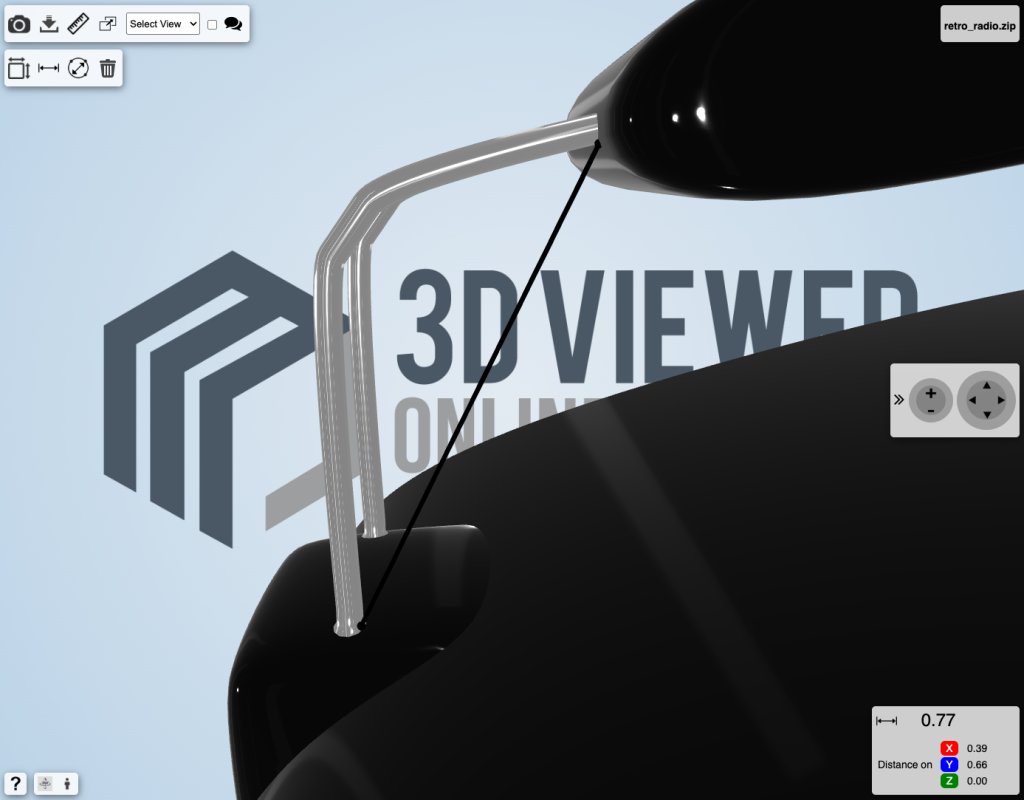
glTF 3D models do not store information about the 3D model dimensions unit, such as mm or inches. The measurement result therefore is presented without any dimension unit, unlike STEP or IGES 3D models which are presented with the correct dimension units.
The wireframe visualisation, available on the 3D model settings page, allows you to inspect the triangular mesh that defines your glTF 3D model geometry. This can be particularly useful to identify possible ways to increase or reduce the size of your glTF 3D model.
One of the most powerful features of the glTF Viewer, are markups and comments. The markups feature gives you the possibility to create markups by drawing and writing annotations directly on the glTF 3D model, for your own use or to better share your thoughts with your customers and collaborators.
Markups make it easy to highlight feedback and potential improvements directly on the glTF 3D model, from visual details and materials to proportions and animations. By capturing comments and annotations exactly where they matter, teams can align faster, reduce back-and-forth, and avoid costly rework later in the process. All feedback stays connected to the 3D model, helping you move from review to approval more quickly and deliver high-quality 3D experiences with confidence.
The commenting feature allows you to create comments about the glTF 3D model, which might include markups as well if necessary. Posting or replying to comments is as easy as posting on any social platform. You also have the possibility to attach documentation to your post, such as material datasheets, simulation results or international standards. All your communication will be connected to the 3D model, making it easier for the people involved in your project to access and use it.
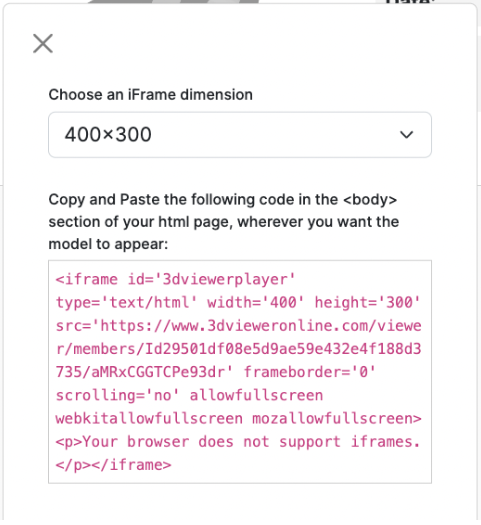
The Embedding function of the glTF viewer lets you embed the 3D model directly in your website, CMS or app by using an iFrame code, similarly to what YouTube does for videos. This can add more 3D viewing capabilities to your platform, with engaging content.
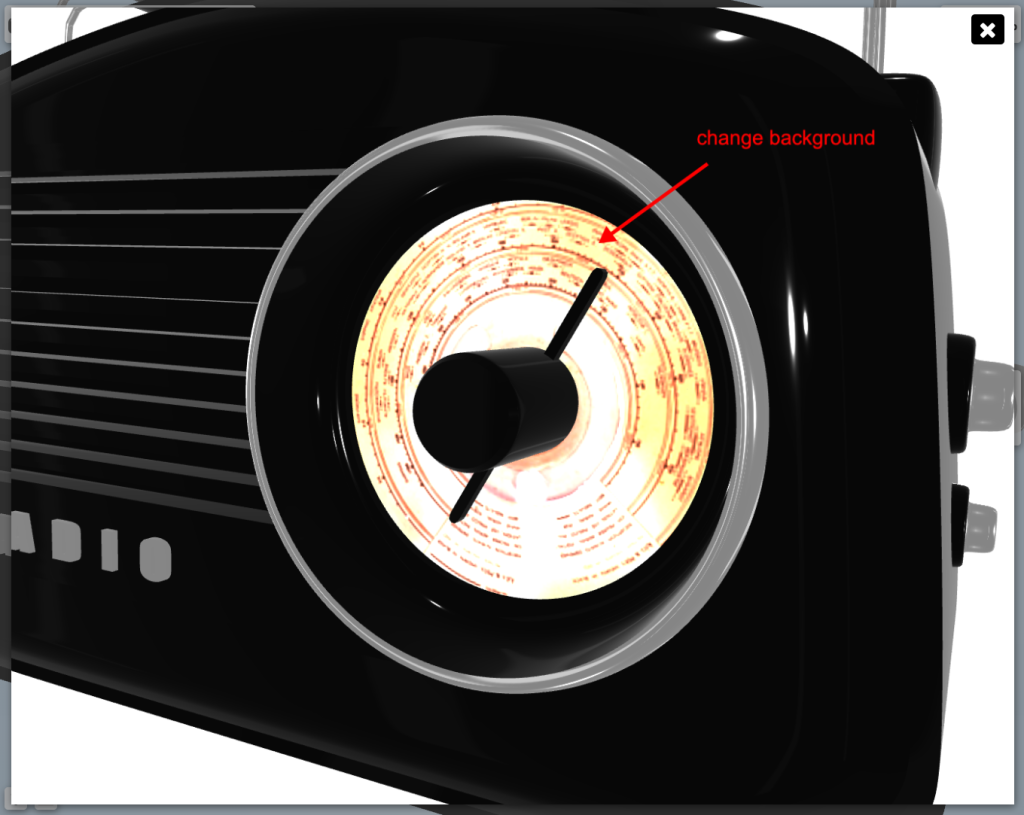
The screenshot function of the glTF viewer allows you to instantly download a high resolution picture of what you see on the screen. This feature is particularly useful when you need to include realistic renderings of your glTF file on your website or marketing material. To achieve the best realism with effects such as lights and reflections, you can easily edit the 3D settings of that 3D model (check out how to change the scene settings).
Start using the glTF viewer now by registering a FREE account.
Finding free glTF files is relatively easy, as there are numerous online platforms and communities dedicated to sharing 3D models. Here are some popular websites where you can find a wide variety of free glTF files:
1. Polycam
Website: Polycam
Description: Polycam is well known for photogrammetry and LiDAR-based 3D scanning, and it allows users to export scanned models directly in glTF and GLB formats. Many users share free models created from real-world objects and environments, making Polycam an excellent source of realistic glTF files for visualisation, AR, and digital twin applications.
2. Creazilla
Website: Creazilla
Description: Creazilla offers a growing library of free digital assets, including 3D models released under permissive licences. While the platform is broader than just 3D, it provides accessible glTF-compatible assets that are well suited for quick visualisation, educational projects, and lightweight web-based 3D experiences.
3. CGTrader
Website: CGTrader
Description: CGTrader is a large 3D model marketplace that includes a substantial collection of free assets, many of which are available in glTF or easily convertible formats. The platform covers a wide range of categories, from product models to characters and environments, making it a valuable resource for both commercial and non-commercial glTF use cases.
4. Sketchfab
Website: Sketchfab
Description: Sketchfab is one of the most popular platforms for discovering free glTF and GLB files. Many creators publish models under Creative Commons licences, making them free to use with attribution.
Start using the glTF viewer now by registering a FREE account.